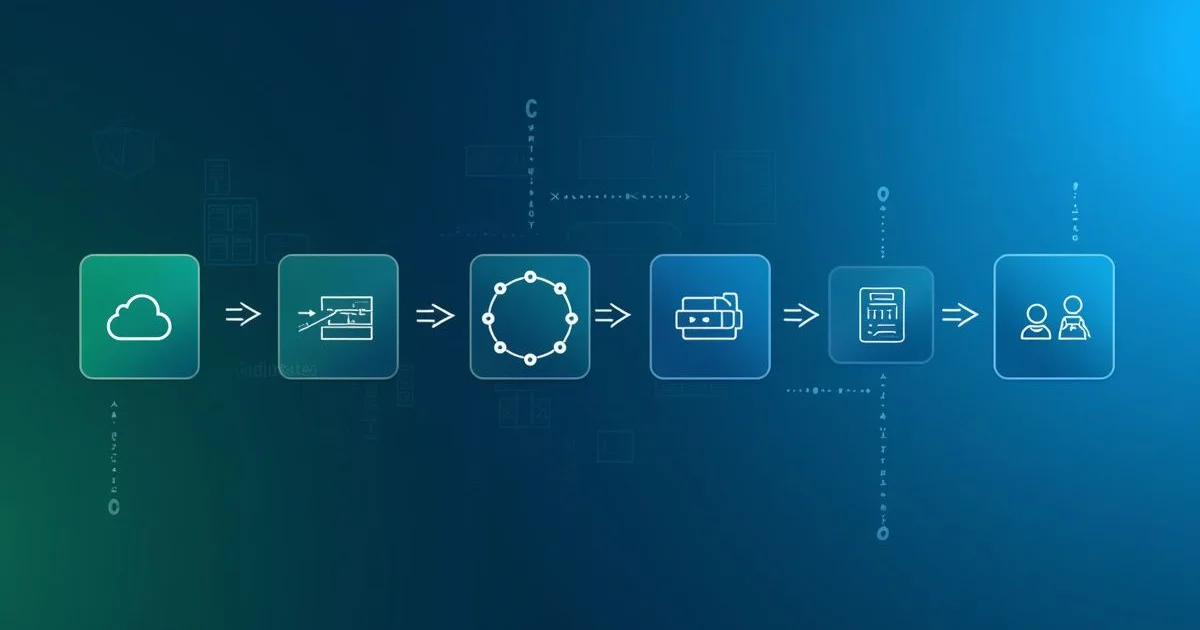
CI/CD automates your build, test, and deploy process. Push code, everything else happens automatically.
No more "it works on my machine." No more manual deployments at midnight. No more forgetting to run tests.
This guide shows you how to set up a practical CI/CD pipeline using GitHub Actions. Real examples you can copy and adapt.
What is CI/CD?
CI (Continuous Integration): Automatically build and test code whenever someone pushes changes. Catch bugs before they reach production.
CD (Continuous Delivery/Deployment): Automatically deploy code after tests pass. Delivery means "ready to deploy with one click." Deployment means "automatically deployed."
Why It Matters
Without CI/CD:
- Developer pushes code
- Someone manually runs tests (maybe)
- Someone else manually deploys (later)
- Bugs discovered in production
- Rollback is manual and stressful
With CI/CD:
- Developer pushes code
- Tests run automatically
- If tests pass, code deploys automatically
- Bugs caught before production
- Rollback is one click
Teams with CI/CD deploy more frequently with fewer bugs. Not because the code is perfect - because problems are caught faster.
What Does a CI/CD Pipeline Do?
A pipeline that:
- Runs on every push and pull request
- Installs dependencies
- Runs linting and tests
- Builds the application
- Deploys to production (on main branch)
Basic Pipeline Structure
Create .github/workflows/ci.yml in your repository:
name: CI/CD Pipeline

on:
  push:
    branches: [main, develop]
  pull_request:
    branches: [main]

jobs:
  build:
    runs-on: ubuntu-latest

    steps:
      - uses: actions/checkout@v4

      - name: Setup Node.js
        uses: actions/setup-node@v4
        with:
          node-version: '20'
          cache: 'npm'

      - name: Install dependencies
        run: npm ci

      - name: Run linter
        run: npm run lint

      - name: Run tests
        run: npm test

      - name: Build
        run: npm run build
This runs on every push to main/develop and every pull request targeting main.
Breaking It Down
Triggers
on:
  push:
    branches: [main, develop]
  pull_request:
branches: [main]- push: Runs when code is pushed to main or develop
- pull_request: Runs when PRs target main
Other useful triggers:
on:
  schedule:
    - cron: '0 0 * * *'  # Daily at midnight
  workflow_dispatch:  # Manual trigger button
  release:
    types: [published]  # When release is created
The Job
jobs:
  build:
    runs-on: ubuntu-latest
Jobs run on GitHub's hosted runners. Options:
ubuntu-latest- Linux (most common)windows-latest- Windowsmacos-latest- macOS (costs more)
Steps
Each step is an action or command:
steps:
  - uses: actions/checkout@v4  # Clone repo
  - uses: actions/setup-node@v4  # Install Node
  - run: npm ci  # Run shell command
Steps run sequentially. If any step fails, the job fails.
Complete Examples by Language
Node.js / TypeScript
name: Node.js CI/CD

on:
  push:
    branches: [main]
  pull_request:
    branches: [main]

jobs:
  test:
    runs-on: ubuntu-latest

    steps:
      - uses: actions/checkout@v4

      - name: Setup Node.js
        uses: actions/setup-node@v4
        with:
          node-version: '20'
          cache: 'npm'

      - name: Install dependencies
        run: npm ci

      - name: Run linter
        run: npm run lint

      - name: Type check
        run: npm run type-check

      - name: Run tests
        run: npm test -- --coverage

      - name: Upload coverage
        uses: codecov/codecov-action@v4
        with:
          token: ${{ secrets.CODECOV_TOKEN }}

      - name: Build
        run: npm run build

      - name: Upload build artifacts
        uses: actions/upload-artifact@v4
        with:
          name: build
          path: dist/
Python
name: Python CI/CD

on:
  push:
    branches: [main]
  pull_request:
    branches: [main]

jobs:
  test:
    runs-on: ubuntu-latest

    steps:
      - uses: actions/checkout@v4

      - name: Setup Python
        uses: actions/setup-python@v5
        with:
          python-version: '3.12'
          cache: 'pip'

      - name: Install dependencies
        run: |
          python -m pip install --upgrade pip
          pip install -r requirements.txt
          pip install -r requirements-dev.txt

      - name: Run linter
        run: |
          pip install ruff
          ruff check .

      - name: Run type checker
        run: |
          pip install mypy
          mypy src/

      - name: Run tests
        run: pytest --cov=src tests/

      - name: Upload coverage
        uses: codecov/codecov-action@v4
PHP / Laravel
name: PHP CI/CD

on:
  push:
    branches: [main]
  pull_request:
    branches: [main]

jobs:
  test:
    runs-on: ubuntu-latest

    services:
      mysql:
        image: mysql:8.0
        env:
          MYSQL_ROOT_PASSWORD: password
          MYSQL_DATABASE: testing
        ports:
          - 3306:3306
        options: --health-cmd="mysqladmin ping" --health-interval=10s --health-timeout=5s --health-retries=3

    steps:
      - uses: actions/checkout@v4

      - name: Setup PHP
        uses: shivammathur/setup-php@v2
        with:
          php-version: '8.3'
          extensions: mbstring, pdo, mysql
          coverage: xdebug

      - name: Cache Composer packages
        uses: actions/cache@v4
        with:
          path: vendor
          key: ${{ runner.os }}-composer-${{ hashFiles('composer.lock') }}

      - name: Install dependencies
        run: composer install --no-interaction --prefer-dist

      - name: Copy .env
        run: cp .env.example .env.testing

      - name: Generate key
        run: php artisan key:generate --env=testing

      - name: Run tests
        run: php artisan test --coverage
        env:
          DB_CONNECTION: mysql
          DB_HOST: 127.0.0.1
          DB_PORT: 3306
          DB_DATABASE: testing
          DB_USERNAME: root
          DB_PASSWORD: password
Adding Deployment
Extend the pipeline to deploy when tests pass on main:
name: CI/CD Pipeline

on:
  push:
    branches: [main, develop]
  pull_request:
    branches: [main]

jobs:
  test:
    runs-on: ubuntu-latest
    steps:
      - uses: actions/checkout@v4

      - name: Setup Node.js
        uses: actions/setup-node@v4
        with:
          node-version: '20'
          cache: 'npm'

      - name: Install dependencies
        run: npm ci

      - name: Run tests
        run: npm test

      - name: Build
        run: npm run build

      - name: Upload build artifacts
        uses: actions/upload-artifact@v4
        with:
          name: build
          path: dist/

  deploy:
    needs: test
    runs-on: ubuntu-latest
    if: github.ref == 'refs/heads/main'

    steps:
      - name: Download build artifacts
        uses: actions/download-artifact@v4
        with:
          name: build
          path: dist/

      - name: Deploy to server
        uses: appleboy/ssh-action@v1.0.0
        with:
          host: ${{ secrets.SERVER_HOST }}
          username: ${{ secrets.SERVER_USER }}
          key: ${{ secrets.SSH_PRIVATE_KEY }}
          script: |
            cd /var/www/app
            git pull origin main
            npm ci --production
            pm2 restart app
Key points:
needs: test- Deploy only runs after test succeedsif: github.ref == 'refs/heads/main'- Deploy only on main branch- Secrets stored in GitHub repository settings
Environment Variables and Secrets
Store sensitive data in GitHub Secrets (Settings → Secrets → Actions):
- name: Deploy
  env:
    API_KEY: ${{ secrets.API_KEY }}
    DATABASE_URL: ${{ secrets.DATABASE_URL }}
  run: ./deploy.sh
Never commit secrets to your repository.
Environments
Use GitHub Environments for staging vs production:
deploy-staging:
  environment: staging
  runs-on: ubuntu-latest
  if: github.ref == 'refs/heads/develop'
  steps:
    - name: Deploy
      env:
        SERVER_HOST: ${{ secrets.STAGING_HOST }}
      run: ./deploy.sh

deploy-production:
  environment: production
  runs-on: ubuntu-latest
  if: github.ref == 'refs/heads/main'
  needs: deploy-staging
  steps:
    - name: Deploy
      env:
        SERVER_HOST: ${{ secrets.PRODUCTION_HOST }}
      run: ./deploy.sh
Environments can have:
- Separate secrets
- Required reviewers (manual approval)
- Deployment protection rules
Caching Dependencies
Speed up builds by caching:
- name: Setup Node.js
  uses: actions/setup-node@v4
  with:
    node-version: '20'
    cache: 'npm'  # Automatically caches npm dependencies
For other package managers:
- name: Cache pip packages
  uses: actions/cache@v4
  with:
    path: ~/.cache/pip
    key: ${{ runner.os }}-pip-${{ hashFiles('requirements.txt') }}
    restore-keys: |
      ${{ runner.os }}-pip-
Cache Hit Rates
Good cache configuration can reduce build time by 50-70%. Monitor cache hit rates in the Actions logs.
Matrix Builds
Test across multiple versions:
jobs:
  test:
    runs-on: ubuntu-latest
    strategy:
      matrix:
        node-version: [18, 20, 22]
      fail-fast: false  # Continue other jobs if one fails

    steps:
      - uses: actions/checkout@v4
      - uses: actions/setup-node@v4
        with:
          node-version: ${{ matrix.node-version }}
      - run: npm ci
      - run: npm test
This runs tests on Node 18, 20, and 22 in parallel.
Multi-OS Matrix
strategy:
  matrix:
    os: [ubuntu-latest, windows-latest, macos-latest]
    node-version: [18, 20]
runs-on: ${{ matrix.os }}
Docker Build and Push
Build and push Docker images:
jobs:
  docker:
    runs-on: ubuntu-latest
    steps:
      - uses: actions/checkout@v4

      - name: Set up Docker Buildx
        uses: docker/setup-buildx-action@v3

      - name: Login to Docker Hub
        uses: docker/login-action@v3
        with:
          username: ${{ secrets.DOCKER_USERNAME }}
          password: ${{ secrets.DOCKER_PASSWORD }}

      - name: Build and push
        uses: docker/build-push-action@v5
        with:
          context: .
          push: true
          tags: |
            username/app:latest
            username/app:${{ github.sha }}
          cache-from: type=gha
          cache-to: type=gha,mode=max
GitHub Container Registry
Free alternative to Docker Hub:
- name: Login to GitHub Container Registry
  uses: docker/login-action@v3
  with:
    registry: ghcr.io
    username: ${{ github.actor }}
    password: ${{ secrets.GITHUB_TOKEN }}

- name: Build and push
  uses: docker/build-push-action@v5
  with:
    context: .
    push: true
    tags: ghcr.io/${{ github.repository }}:latest
Security Scanning
Dependency Scanning
- name: Run dependency audit
  run: npm audit --audit-level=high

- name: Snyk security scan
  uses: snyk/actions/node@master
  env:
    SNYK_TOKEN: ${{ secrets.SNYK_TOKEN }}
SAST (Static Analysis)
- name: Run CodeQL Analysis
  uses: github/codeql-action/analyze@v3
Secret Scanning
GitHub automatically scans for leaked secrets. Enable in repository settings.
Practical Tips
Fail Fast
Put quick checks first. Linting fails faster than tests:
steps:
  - run: npm run lint  # Fast - seconds
  - run: npm run type-check  # Fast - seconds
  - run: npm test      # Slower - minutes
  - run: npm run build # Slowest
Use Specific Action Versions
Pin to major versions to avoid breaking changes:
- uses: actions/checkout@v4  # Good
- uses: actions/checkout@latest  # Risky - might break
- uses: actions/checkout@v4.1.0  # Very specific - miss patches
Add Status Badges
Show build status in your README:
Notifications
Get notified on failures:
- name: Notify on failure
  if: failure()
  uses: slackapi/slack-github-action@v1
  with:
    channel-id: 'deployments'
    slack-message: 'Build failed: ${{ github.repository }}'
  env:
    SLACK_BOT_TOKEN: ${{ secrets.SLACK_BOT_TOKEN }}
Common Patterns
Deploy Preview for PRs
Deploy each PR to a preview URL:
deploy-preview:
  if: github.event_name == 'pull_request'
  runs-on: ubuntu-latest
  steps:
    - uses: actions/checkout@v4
    - run: npm ci && npm run build
    - name: Deploy to Vercel Preview
      uses: amondnet/vercel-action@v25
      with:
        vercel-token: ${{ secrets.VERCEL_TOKEN }}
        vercel-org-id: ${{ secrets.VERCEL_ORG_ID }}
        vercel-project-id: ${{ secrets.VERCEL_PROJECT_ID }}
Database Migrations
Run migrations before deployment:
- name: Run migrations
  run: npx prisma migrate deploy
  env:
    DATABASE_URL: ${{ secrets.DATABASE_URL }}
Rollback on Failure
Keep previous deployment available:
- name: Deploy with rollback
  run: |
    cp -r /var/www/app /var/www/app-backup
    ./deploy.sh || (cp -r /var/www/app-backup /var/www/app && exit 1)
Blue-Green Deployment
Deploy to inactive environment, switch traffic:
- name: Deploy to green environment
  run: ./deploy.sh green

- name: Health check
  run: curl -f https://green.example.com/health

- name: Switch traffic
  run: ./switch-traffic.sh green
Debugging Pipelines
Enable Debug Logging
Add secret ACTIONS_STEP_DEBUG = true for verbose output.
SSH into Runner
For debugging:
- name: Setup tmate session
  uses: mxschmitt/action-tmate@v3
  if: failure()
This gives you SSH access to the runner when builds fail.
Local Testing
Use act to run GitHub Actions locally:
act -j buildWhich CI/CD Platform Should You Use?
| Platform | Pros | Cons |
|---|---|---|
| GitHub Actions | Free for public repos, built-in | 6-hour job limit |
| GitLab CI | Built-in, self-host option | Complex syntax |
| CircleCI | Fast, good caching | Free tier limited |
| Jenkins | Self-hosted, flexible | Complex setup |
For most projects, GitHub Actions is the best starting point.
Beyond GitHub Actions
Same concepts apply to:
- GitLab CI -
.gitlab-ci.yml - CircleCI -
.circleci/config.yml - Jenkins -
Jenkinsfile
The syntax differs, but the pipeline structure is similar.
Frequently Asked Questions
What is a CI/CD pipeline?
A CI/CD pipeline is an automated sequence that builds, tests, and deploys your code every time someone pushes a change. CI handles integration and testing; CD handles delivery or deployment. The result is faster releases with fewer bugs reaching production.
What is the difference between CI and CD?
CI (Continuous Integration) automatically builds and runs tests on every push, catching bugs early. CD (Continuous Delivery/Deployment) automatically ships the code once tests pass - delivery means one-click ready, deployment means fully automatic. Most real pipelines combine both.
How do I run a CI/CD pipeline locally before pushing?
Use act, which runs GitHub Actions workflows locally inside Docker. It lets you test and debug pipeline changes without pushing commits or burning Actions minutes.
Can I use GitHub Actions pipelines with private repositories?
Yes. Every example here works with private repos. GitHub Actions includes 2,000 free minutes per month for private repositories on the free tier and 3,000 on Pro; public repos are unlimited.
Do I need matrix builds in my pipeline?
Only if you support multiple language or OS versions. For most projects, testing one version is fine and keeps the pipeline fast. Add a matrix when you must verify, say, Node 18, 20, and 22 in parallel.
How do I migrate from Jenkins to GitHub Actions?
Start with one simple workflow and recreate your most critical pipeline first. Run both systems in parallel for about a week to confirm parity, then switch. Migrating everything at once is the most common way the move goes wrong.
Bottom Line
Start simple:
- Run tests on every push
- Add deployment when tests pass
- Add caching to speed things up
- Add notifications when things break
Don't over-engineer. A simple pipeline example that works beats a complex one that nobody understands.
The goal isn't a perfect pipeline. The goal is confidence that your code works and deploys reliably. Use these examples as starting points, then customize for your needs.
Need help setting up CI/CD for your project? I can help you design pipelines that fit your workflow. Let's talk.